HEALTH SAVINGS ACCOUNT
Health Savings Done Right
HSAs provide financial flexibility. They offer tax advantages, promote savvy healthcare decision-making, and encourage financial growth. Start is the only reimbursement model offering the benefits of an HSA.

What Is An HSA?
An HSA, or Health Savings Account, is a tax-advantaged savings account used for qualified medical expenses. HSAs are available to those enrolled in a high-deductible health plan, as defined by the IRS. HSAs have yearly maximum contribution limits.
The HSA Advantage

TRIPLE-TAX ADVANTAGE
First, HSA contributions are tax-free. Second, HSA funds earn tax-free interest and investment earnings. Third, withdrawals for qualified medical expenses (QMEs) are tax-free.

NEVER EXPIRE
Long live HSAs! Unlike an HRA or FSA, your HSA funds are yours and never expire. Funds roll over year-over-year, letting you create a robust financial asset, even in the event of a job change.

SECURITY
Considered a rainy-day savings account, HSAs provide financial security for the inevitable future medical costs, even through retirement to help reduce your overall out-of-pocket costs.

FLEXIBLE
Because HSA funds are yours, you have the freedom and flexibility to manage your account. After 65, HSA owners can withdraw funds for non-medical expenses, but may be subject to income taxes.
CONVENIENCE
HSAs provide convenience and ease when paying for qualified medical expenses. With Start, you can readily access your HSA funds by paying with your Start Benefit Card.

RETIREMENT
Building your HSA can be a smart move when considering future medical costs. Those over 55 have the ability to make “catch-up contributions” of $1,000 over the IRS limits to further build savings.
Top-Tier Benefits
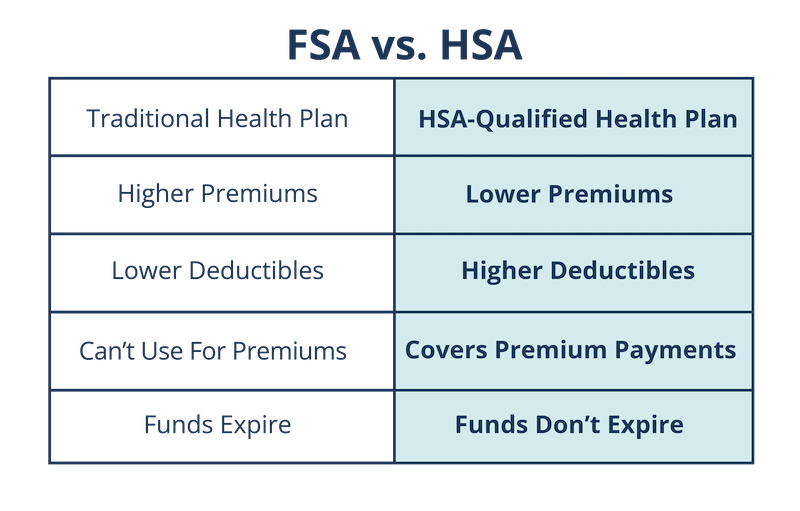
HSA, FSA, HRA… what’s the difference? HSAs are a popular choice among savvy healthcare spenders because they tend to lower your tax burden, funds never expire, and they allow you to easily save for future medical costs, even through retirement.
Your HSA, Your Way
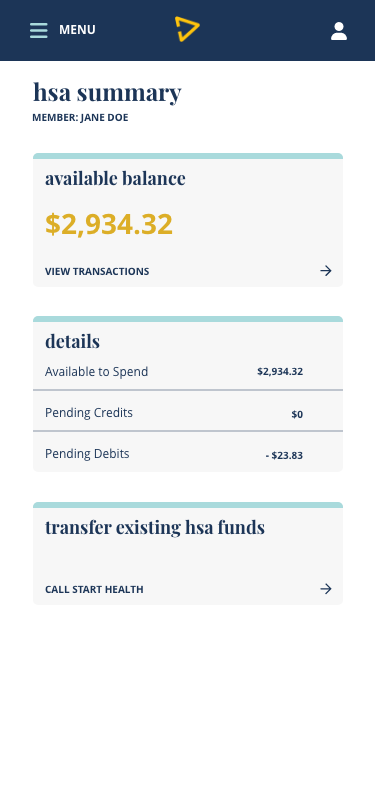
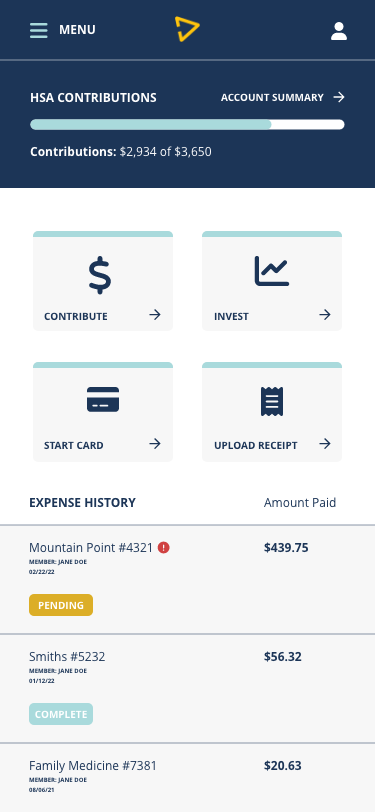
The Start app make it easy to manage your HSA funds, spending, and investments growth all in one place.
Using Funds
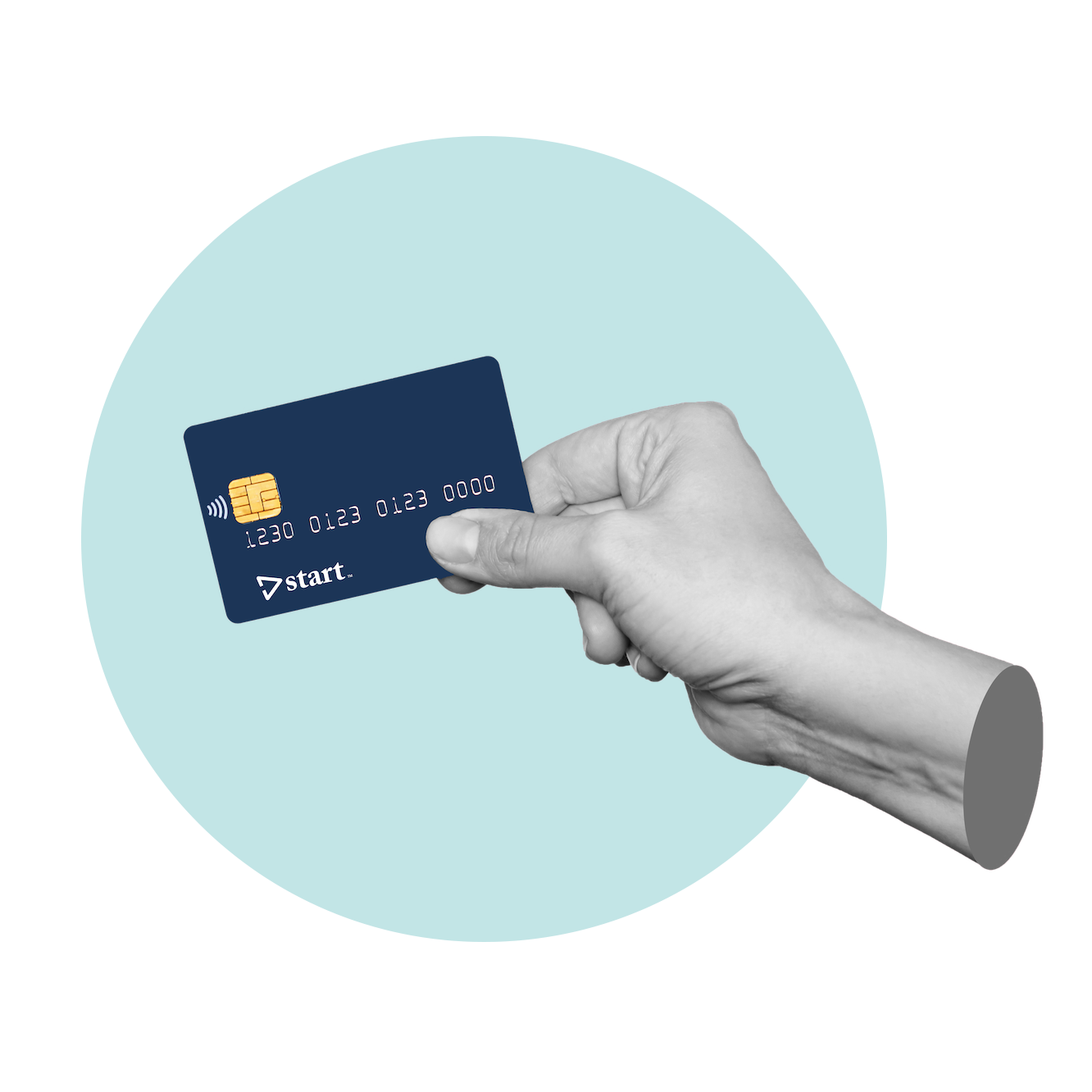
Want to use your HSA funds to pay for qualified medical expenses tax-free? Easy! Simply set your Start HSA as your preferred payment method in the Start app, and use your Start Card to pay for your next service.
Tax-Free Growth
While it’s important to contribute to your HSA, it is even more important to take advantage of tax-free growth. HSA funds can be invested tax-free in mutual funds, stocks, or bonds and subsequent earnings can help carry you through retirement.

FAQs About HSAs
WHAT IS AN HSA?
An HSA, or Health Savings Account, is a tax-advantaged savings account used for qualified medical expenses. HSAs are available to those enrolled in a high-deductible health plan, as defined by the IRS, and have yearly maximum contribution limits. HSA funds do not expire and roll over year-over-year, and they are owned by you (not your employer).
HOW MUCH CAN I CONTRIBUTE TO MY HSA?
The IRS imposes yearly limits for HSA contributions.
For 2023, HSA Limits are:
Individual – $3,850
Family – $7,750
For 2024, HSA Limits are:
Individual – $4,15o
Family – $8,300
WHAT CAN I USE MY HSA FOR?
You can use HSA funds for eligible Qualified Medical Expenses (QMEs) only. If you use your HSA funds for non-QMEs, you will be subject to income tax and a 20% IRS penalty for a non-medical withdrawal under the age of 65.
For a list of QMEs, please reference your Start policy.
CAN I HAVE MULTIPLE HSAS?
In short, yes. However, you can only contribute up to the IRS limits for a given year. This means that you can contribute up to the IRS limits to one account, or you may choose to spread it across multiple.
HOW DO I ACCESS AND USE MY START HSA FUNDS?
You can access and manage your Start HSA funds by creating your Start account, logging in, and visiting your HSA Summary dashboard. Your dashboard will include:
- Your current HSA balance
- Your expense history
- HSA contributions
- HSA investments
- Start Card management
To use your HSA funds, you may select “Start HSA” in your Start Card account ordering preferences and simply use your Start Card when paying for expenses.
HOW DO I INVEST MY HSA FUNDS?
To invest your HSA funds, you must have a balance of over $2,000. To get started, simply log into your Start account, navigate to your HSA summary dashboard and click on the “Invest” tile, then follow the next steps.
Start Saving
Considering an HSA? HSAs are growing in popularity for their ability to make saving for healthcare expenses easy and lower overall healthcare expenses. Enjoy lower premiums, tax advantages, and investing in your future by opening a Start HSA.